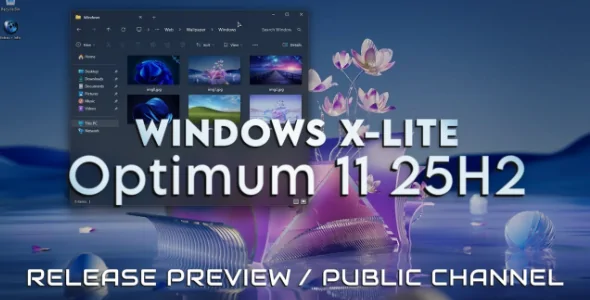
Windows X-Lite 'Optimum 11' 25H2 Home v2

Windows X-Lite 'Optimum 11' 25H2 Home v2
Free

BUILD INFO:

  • Based on Windows 11 25H2 Home (OS Build 26200.7019)
  • 3 GB ISO (5.3 GB Installed Size)
  • Debloated and Optimized out of the box
  • Optional Windows Defender
  • Optional File Explorer Gallery
  • Full Featured, Updatable Build
  • Virtual Memory Enabled by Default
  • Automatic Updates Paused Until 3000
  • Includes Optional File Explorer Transparency
  • Extreme Performance for your Apps and Games
  • Full Support for UWP Apps, Xbox, MS Store and much more
  • Full Support for Additional Language Packs, Speech, Voice, etc.
  • Full support for all optional features including WSA and WSL2
  • Enabled Rounded Corners, Acrylic, and Mica by default (Even in a VM!)
  • Automatic Updates can be paused for up to 10 years after resuming
  • Additional Improvements and Optimizations Included
  • No Pre-installed UWP Apps or web browsers
  • MS Store Installer and web browser installers Included
  • Optional Edge and Widgets

💥 Designed to work with all Apps and Games, on All PCs. Old or new, weak or strong, Desktop or Laptop.

  • ➡️ Bypasses TPM, Secure Boot, RAM, CPU, and Storage Checks
    ➡️ Bypasses Microsoft's Forced Account Creation during Setup / Installation

    Changes in v2 include:
     
  • Based on newer OS Build (26200.7019)
  • New Colorful battery icons implemented
  • Extras Folder shortcut added to Desktop
  • Task Manager bug fixed (known issue with current 25H2 builds)
  • Improved Language Pack Support (Full system wide translation works now)
  • Removed Features Include  - Edge, Smart Screen, UWP Apps, Webview & Widgets
  • Disabled Features Include  - Defender (Optional), Bitlocker, Windows Ink Workspace, Error Reporting,
  • Indexing, UAC, Ads, Telemetry, Hibernation, Power Throttling.
  • Performance Prioritized!  - This build has been designed to Maximize Performance, Responsiveness, and
  • Resource Savings.

Installation

• Use Rufus software to write the ISO to a USB Drive.
• Boot from the USB Drive, and Perform a Clean Installation to your desired partition.
• *Your PC Will Reboot Once, Shortly After Installation Completes.
• We Recommend you download and install DX9 and VC++ Runtimes from our Software Page
​• For AMD Ryzen PC's, please download the latest Chipset Drivers from our Software Page
• To Troubleshoot any issues you may have, please read our Guides Page for assistance

Aabaz's items